
Choosing the right keyboard for programming can make long coding sessions more comfortable, efficient, and enjoyable. The best option depends on your preferred layout, typing feel, customization needs, connectivity, and budget. This guide covers five keyboards ranging from premium customizable mechanical models to compact budget options and a quiet low-profile choice.
Below, you will find five programming keyboards covering different use cases, including full-size, tenkeyless, 96%, 75%, 60%, and low-profile designs. Each detailed review includes key features, advantages, limitations, and a direct Amazon link.
Top 5 Keyboards for Programming at a Glance
How to Choose a Keyboard for Programming
Programmers spend many hours typing, navigating code, switching between applications, and using keyboard shortcuts. A good programming keyboard should therefore provide comfortable key presses, reliable construction, useful connectivity, and a layout that matches your workflow.
- Layout: Full-size keyboards provide a numpad, while TKL, 75%, 65%, and 60% layouts save desk space.
- Typing feel: Mechanical keyboards offer extensive switch choices, while low-profile and scissor-style keyboards can feel more familiar to laptop users.
- Customization: Hot-swappable switches, programmable keys, macros, layers, and customizable firmware can be valuable for developers.
- Connectivity: Bluetooth, 2.4GHz wireless, and wired connections provide flexibility for different workstations.
- Noise: A quieter keyboard may be preferable for shared offices, libraries, or home environments where other people are nearby.
1. Keychron Q6 Ultra 8K
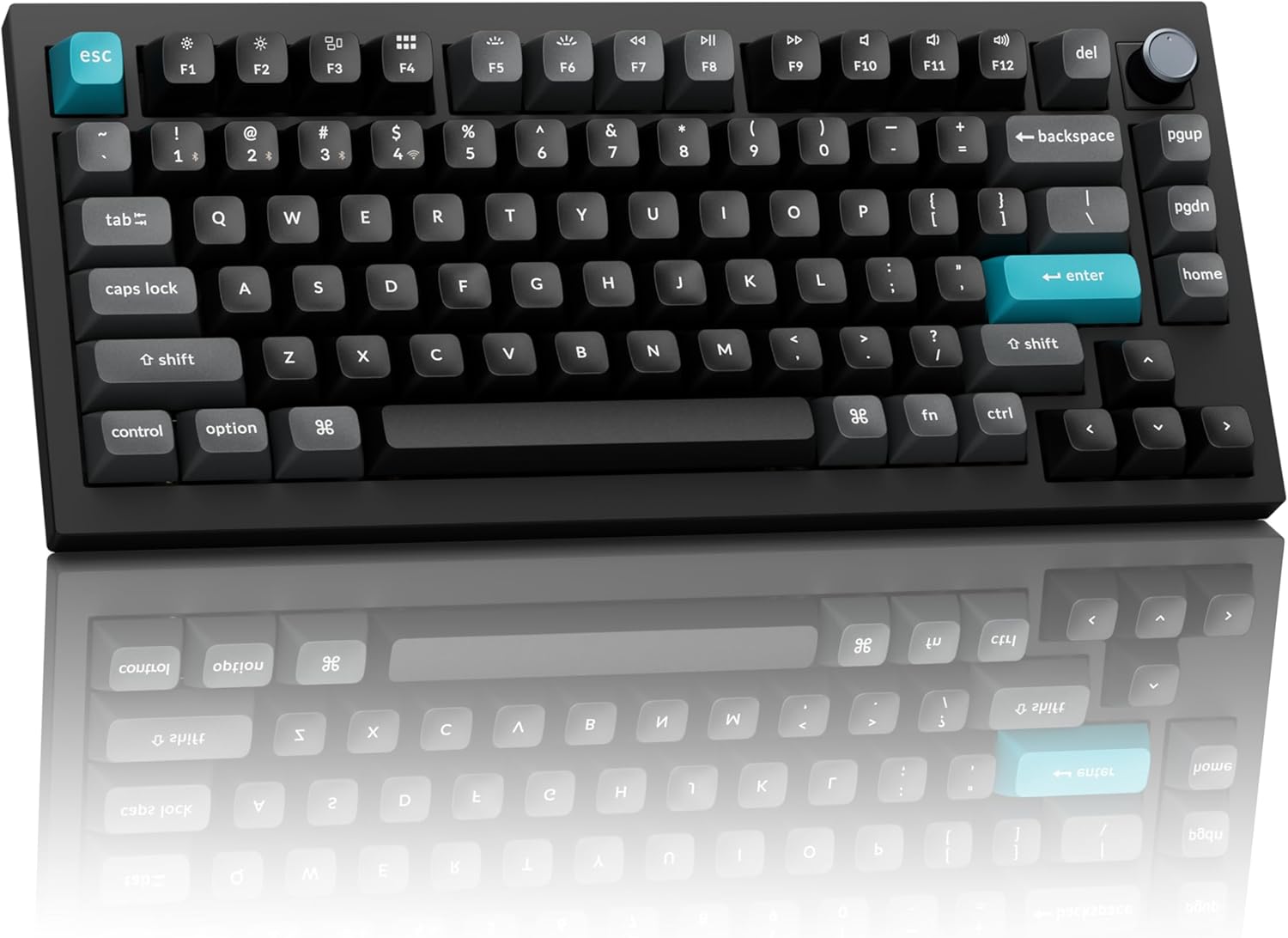
The Keychron Q6 Ultra 8K is designed for programmers who want a premium full-size mechanical keyboard with substantial build quality and extensive customization. Its aluminum construction provides a solid feel, while the double gasket-mounted design is intended to give keystrokes a cushioned and refined feel. The full-size layout also retains the numpad, which can be useful if your programming workflow involves frequent numeric input.
Its connectivity options make it flexible for a desktop setup. You can use the included 2.4GHz receiver, connect through Bluetooth, or use a wired connection. The keyboard also supports hot-swappable switches, allowing users to change switches without replacing the entire board. Its customization software supports key remapping, macros, and custom layers, while ZMK firmware provides additional flexibility for advanced users.
The Q6 Ultra 8K is relatively heavy and has a tall profile, so a wrist rest may be useful for extended sessions. The keycaps also do not provide shine-through legends, which can make the legends harder to see in dark environments despite the RGB lighting. For programmers who want a premium, full-size keyboard and do not need a portable setup, it offers a feature-rich configuration.
| Pros | Cons |
|---|---|
|
|
2. Keychron V3 Ultra 8K
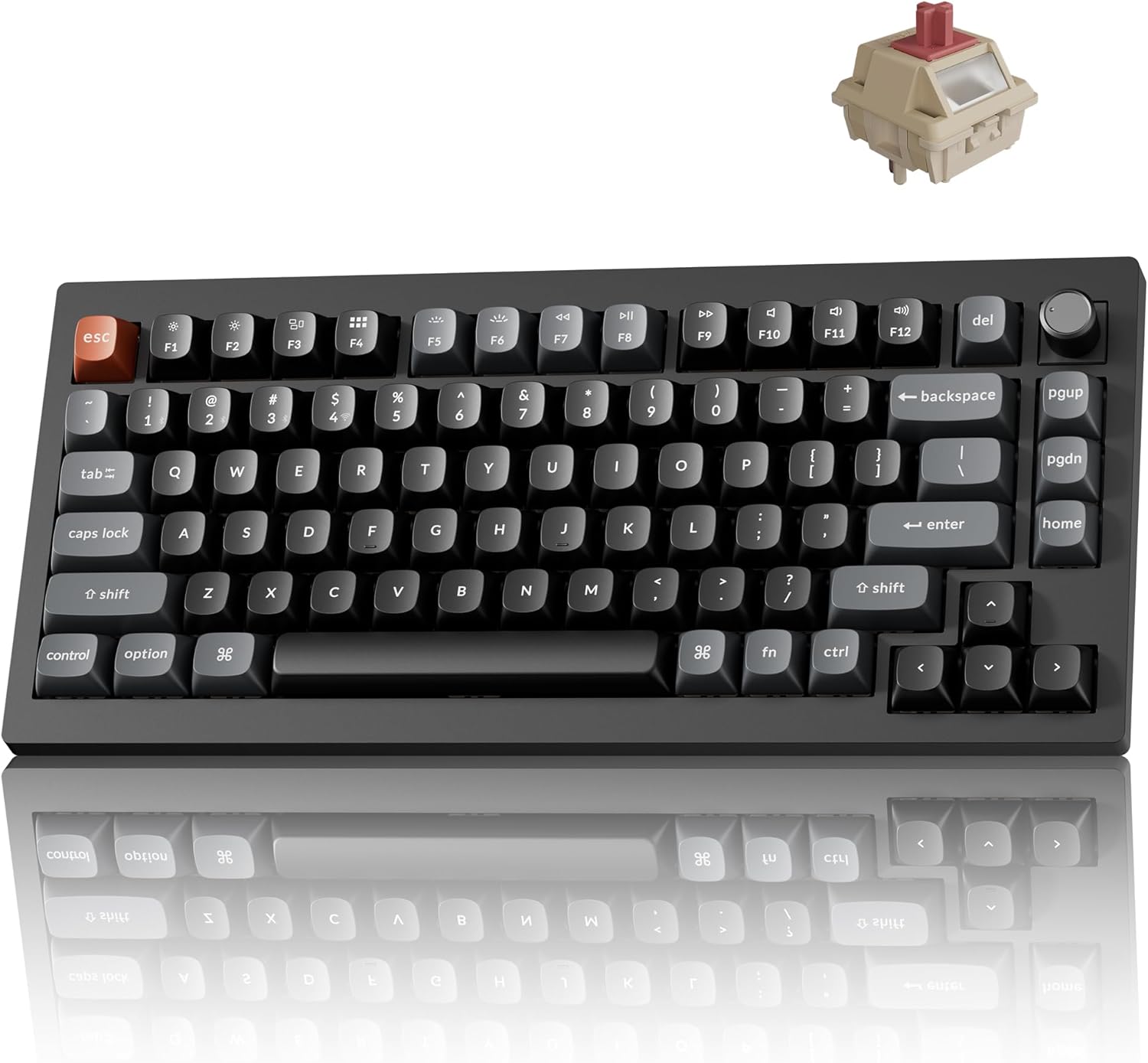
The Keychron V3 Ultra 8K is aimed at programmers who want many of the features associated with a customizable mechanical keyboard without moving into a premium aluminum build. Its plastic construction is less luxurious than the Q Ultra series, but it remains sturdy and includes internal sound-dampening material to help control typing noise.
Customization is one of its most useful characteristics. The keyboard supports hot-swappable switches and uses web-based customization software for remapping keys, creating macros, and organizing custom layers. ZMK firmware adds another level of customization for users who want to fine-tune their keyboard and programming shortcuts.
The TKL-style design provides a practical balance between desk space and functionality. It removes the numpad while retaining the function row and navigation keys, which many programmers may find convenient. If you prefer a low-profile keyboard instead, a low-profile design can provide a different wrist position and typing experience, but it generally offers fewer standard mechanical switch replacement choices.
| Pros | Cons |
|---|---|
|
|
3. AULA F99/F75

The AULA F99/F75 family is a budget-friendly option for programmers who enjoy a soft mechanical typing feel. The F99 uses a 96% layout that keeps most of the keys found on a full-size keyboard while reducing the overall footprint. The F75 uses a 75% layout, retaining the function row and arrow keys while removing the numpad and several navigation keys.
Both models provide flexible wireless connectivity through Bluetooth and an included 2.4GHz receiver, along with support for multiple paired devices. Their gasket-mounted designs create a soft, cushioned typing experience, while PBT keycaps provide a durable surface under your fingers. Internal foam also helps reduce the hollow sound that can sometimes occur with plastic keyboard cases.
The primary compromises are construction and software flexibility. Compared with more premium keyboards, the plastic cases feel less substantial, and the customization software provides fewer keymapping options. The software is also designed for Windows, which can matter if your programming setup relies heavily on another operating system. These keyboards may also be louder than some quiet office-oriented models.
| Pros | Cons |
|---|---|
|
|
4. ROYAL KLUDGE RK61

The ROYAL KLUDGE RK61 is a compact 60% mechanical keyboard designed for programmers who want to minimize desk space. Its small footprint makes it convenient for compact workstations and portable setups, but the 60% layout removes the dedicated function row, arrow keys, numpad, and navigation cluster.
Despite its compact design, the RK61 provides mechanical switches and Bluetooth connectivity with support for multiple devices. Common missing keys can be accessed through programmed shortcuts, including function-row and arrow-key inputs. This approach saves considerable space, although users may need time to become comfortable with the secondary key combinations.
The biggest consideration is whether a 60% layout suits your programming habits. Developers who frequently use dedicated arrow, navigation, or function keys may prefer a larger keyboard. The advertised battery life is also relatively limited compared with some larger wireless keyboards. For users who prioritize compactness and mechanical switches, however, the RK61 provides a straightforward small-format option.
| Pros | Cons |
|---|---|
|
|
5. Logitech MX Keys S

The Logitech MX Keys S takes a different approach from the mechanical keyboards in this list. It is a low-profile keyboard designed for users who prefer a quiet typing experience and a feel closer to a laptop keyboard. The keycaps feature dish-shaped indentations that help keep fingertips centered, which can be useful during long typing sessions.
Wireless flexibility is one of its major strengths. The keyboard can use its included USB receiver or connect through Bluetooth, with support for up to three devices. White backlighting and shine-through legends also make the keyboard suitable for dim environments, while automatic lighting adjustments can adapt the backlight to surrounding conditions.
The MX Keys S is not intended for the same level of hardware customization as a hot-swappable mechanical keyboard. Software customization is also more limited, with macro assignments concentrated on selected function-row keys. Its thin profile is comfortable without requiring a wrist rest, but the keyboard is still relatively large. Users who prioritize portability may prefer a smaller MX Keys Mini-style layout.
| Pros | Cons |
|---|---|
|
|
Which Type of Programming Keyboard Should You Choose?
There is no single layout that works for every programmer. Full-size keyboards are useful when you need a dedicated numpad and complete navigation controls. TKL and 75% keyboards reduce the footprint while retaining many important keys. Compact 60% keyboards save the most desk space but require more reliance on keyboard shortcuts.
Mechanical keyboards are particularly attractive if you want to customize switches, keycaps, layouts, macros, or typing feel. Low-profile keyboards such as the Logitech MX Keys S can be more appropriate when quiet operation and a familiar laptop-style feel are higher priorities.
Final Buying Considerations
For a premium full-size programming setup, the Keychron Q6 Ultra 8K combines a substantial aluminum build with wireless connectivity and extensive customization. The Keychron V3 Ultra 8K focuses on a more accessible mechanical-keyboard configuration while retaining strong customization capabilities. The AULA F99/F75 provides compact layout choices and a soft typing feel at a budget-oriented level.
The ROYAL KLUDGE RK61 is focused on compactness and is especially suited to programmers comfortable with a 60% layout. Meanwhile, the Logitech MX Keys S offers a quieter low-profile alternative for users who prefer a laptop-like typing experience. Consider your desk space, preferred key feel, operating system, need for a numpad or navigation keys, and desired customization before choosing your programming keyboard.
Affiliate Disclosure: As an Amazon Associate, this site may earn from qualifying purchases made through links on this page. Product availability, pricing, and specifications may change over time.
Related Posts

5 Best Bluetooth and Wireless Keyboards for Comfortable Multi-Device Typing
Finding the right wireless keyboard can make everyday typing, office…

5 Best Home Security Cameras for Reliable Indoor and Outdoor Protection
Choosing the right home security camera means balancing video quality,…

How to Choose the Right Fire Starter for Survival and Everyday Use: 5 Reliable Options Reviewed
Choosing the right fire starter can make a major difference…