
Choosing the right external hard drive can make backups, file transfers, photo storage, video editing, and everyday data management much easier. In this guide, we compare five popular external storage options, including portable SSDs, affordable HDDs, secure encrypted drives, and high-capacity desktop storage.
How to Choose the Best External Hard Drive
Before buying an external drive, consider how you plan to use it. SSDs generally offer faster performance and better portability, while traditional HDDs can provide more storage capacity at a lower cost. If you regularly travel with your drive, look for compact construction and additional protection. For sensitive files, encryption and password protection can be especially important.
The five models below cover different storage needs. The SanDisk Extreme Portable V2 focuses on portable SSD performance, while the Seagate Portable and WD My Passport emphasize affordable everyday storage. The Apricorn Aegis Padlock Fortress is designed around data security, and the WD My Book is aimed at high-capacity desktop backup and storage.
Detailed External Hard Drive Reviews
1. SanDisk Extreme Portable V2

The SanDisk Extreme Portable V2 is a compact external SSD designed for users who prioritize fast file transfers and portability. Its small size makes it convenient for carrying in a laptop bag, while the integrated attachment loop makes it easy to connect to a carabiner or clip for travel.
The rugged exterior adds practical protection for people who frequently move between locations. Its rubberized construction can help provide additional resistance against everyday bumps and moisture, making it a useful option for photographers, creators, students, and professionals who need portable storage.
The main consideration is price. Higher-capacity versions can cost considerably more than traditional HDDs. If maximum speed, compactness, and portable SSD performance are more important than getting the lowest possible cost per terabyte, this model is a strong choice to consider.
| Pros | Cons |
|---|---|
| Fast SSD performance | Higher price than many HDDs |
| Compact and lightweight | Higher capacities can be expensive |
| Rugged portable design | May be unnecessary for simple backup needs |
2. Seagate Portable

The Seagate Portable is a straightforward external HDD aimed at users who want convenient storage without spending as much as they might on a portable SSD. Its compact form factor makes it easy to carry with a laptop or keep beside a desktop computer.
One of its practical advantages is broad compatibility. The drive is designed to work with common computer platforms and can also be useful with compatible gaming systems. Its simple USB connection makes everyday file transfers and backups relatively easy for users who do not want a complicated setup.
The trade-off is that the drive does not provide the same level of environmental protection or security features as some specialized alternatives. For normal home, school, office, and laptop-bag use, however, its combination of portability and affordability makes it worth considering.
| Pros | Cons |
|---|---|
| Affordable HDD storage | Limited environmental protection |
| Portable and lightweight | No built-in password security |
| Simple USB connectivity | HDD is slower than a modern SSD |
3. Western Digital My Passport Portable

The Western Digital My Passport Portable is built around compact everyday storage, compatibility, and additional data protection. Its small footprint makes it convenient for people who want an external HDD that can easily fit into a computer bag or other small carrying space.
Security is one of its notable features, with hardware-based 256-bit AES encryption and password protection available on supported configurations. The drive also operates without a separate power brick, making it practical for laptop users and mobile workflows.
Its main limitations are related to performance and physical protection. Traditional HDD technology cannot match a fast portable SSD, and the compact enclosure is not designed as a rugged, water-resistant drive. For budget-conscious users who prioritize portability and security, it remains an appealing option.
| Pros | Cons |
|---|---|
| Compact and lightweight | Slower than portable SSDs |
| 256-bit encryption | Not designed for harsh environments |
| Wide compatibility | HDD mechanism is more sensitive to drops |
4. Apricorn Aegis Padlock Fortress FIPS 140-2 Level 2

The Apricorn Aegis Padlock Fortress is designed for users who place data security above portability and simplicity. It combines PIN-based access with hardware-based 256-bit AES XTS encryption and is designed around stringent security requirements associated with FIPS 140-2 Level 2 validation.
Its integrated keypad allows users to enter a security PIN directly on the drive. Additional security-oriented construction features, including tamper-resistant components and protective design elements, make this type of drive particularly relevant for sensitive business, professional, and confidential data.
The security-focused construction also makes the drive less convenient than a basic portable HDD. It is comparatively large and heavy, and users with modern computers that lack USB-A ports may need an adapter. Its numerous security functions can also require more time to learn than a conventional plug-and-use storage device.
| Pros | Cons |
|---|---|
| PIN-based access | Larger and heavier design |
| Hardware-based 256-bit AES XTS encryption | USB-A connectivity may require an adapter |
| Security-focused construction | More complicated for inexperienced users |
5. Western Digital My Book Desktop
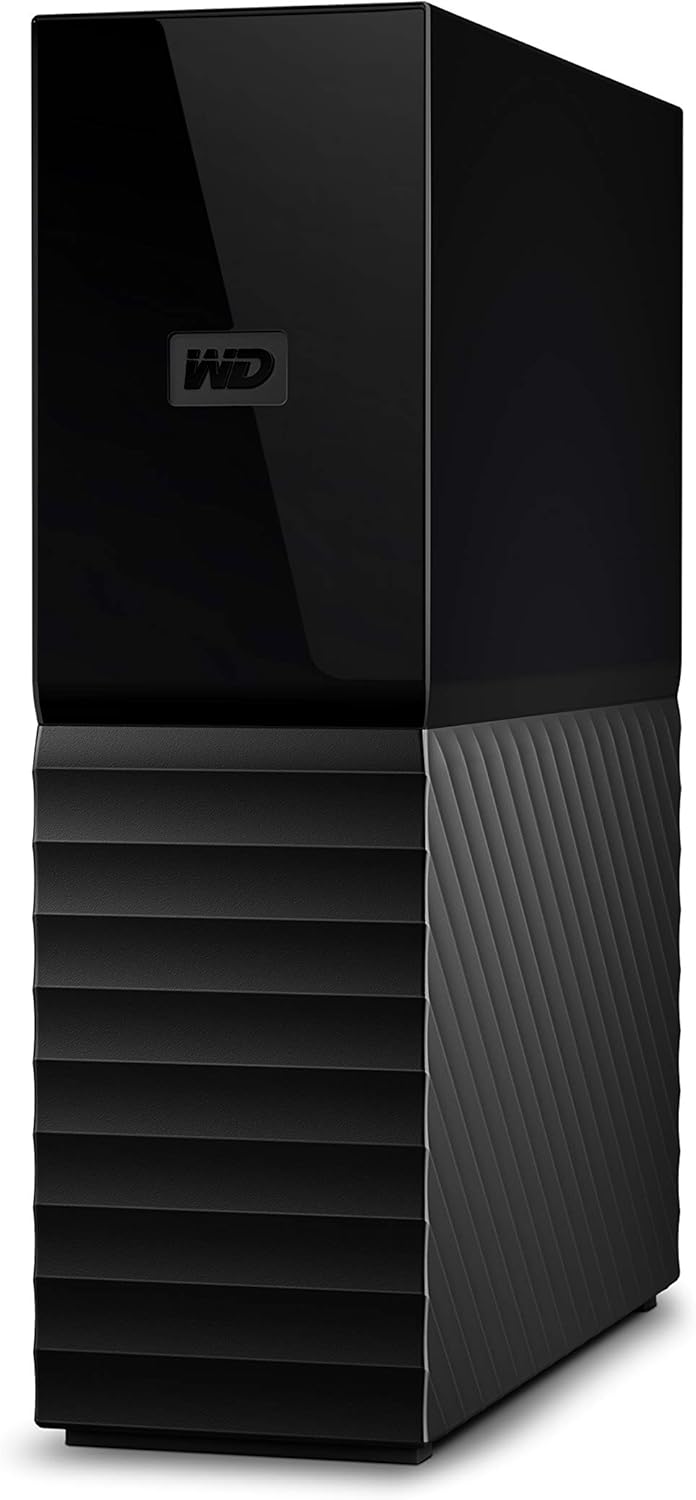
The Western Digital My Book Desktop is designed for stationary storage, large backups, and home or office use. Unlike compact portable drives, it is intended to remain connected to a desktop computer or another fixed setup, making it particularly useful when portability is not a priority.
Its desktop-oriented design supports large storage capacities and fast HDD transfer performance. Features such as password protection and 256-bit encryption can also add an additional layer of protection for stored data, while automatic backup functionality can simplify regular file protection.
The major limitation is portability. The drive is relatively heavy, requires an external power source, and is better suited to a permanent desk setup than frequent travel. If you need substantial storage for photos, videos, documents, and backups in a home office, its desktop format can make sense.
| Pros | Cons |
|---|---|
| Large storage capacity options | Requires external power |
| Fast HDD transfer performance | Not designed for portability |
| Password protection and encryption | Desktop-sized enclosure |
External Hard Drive Buying Guide
SSD vs. HDD
Portable SSDs such as the SanDisk Extreme Portable V2 are generally better suited to users who need fast transfers and a compact drive. HDDs such as the Seagate Portable and WD My Passport can provide a more economical route to external storage, while desktop HDDs such as the WD My Book are designed for larger stationary backup requirements.
Portability
If you regularly carry your drive between home, work, school, or travel locations, consider a compact portable model. A desktop drive that requires a separate power adapter is better suited to a permanent workstation.
Security
For confidential documents and sensitive information, consider a drive with encryption and password or PIN-based access. Security-focused hardware such as the Apricorn Aegis Padlock Fortress is designed specifically around protecting stored data.
Storage Capacity
Think about your current storage requirements and expected growth. Photos, 4K video, games, and full computer backups can consume storage quickly, so choosing adequate capacity from the beginning can reduce the need for another drive later.
Final Thoughts
The five external drives in this guide target different priorities. The SanDisk Extreme Portable V2 focuses on portable SSD performance, the Seagate Portable offers straightforward HDD storage, the WD My Passport combines compactness with security features, the Apricorn Aegis Padlock Fortress emphasizes advanced data protection, and the WD My Book is designed for high-capacity desktop storage and backups.
Before purchasing, compare the current Amazon listing, available capacities, compatibility, connectivity, and features against your specific storage needs. Product availability, configurations, and pricing can change over time.
Related Posts

The 5 Best Walking Pads for Work From Home Steps
If you spend long hours working at a desk, a…

5 Best Adjustable Dumbbells for Small Spaces and Big Gains
Looking for the best adjustable dumbbells for a home gym…

Best Bluetooth Trackers: Top 5 Smart Trackers for Keys, Bags, Pets & More
Bluetooth trackers can make it much easier to locate misplaced…