
Choosing the right business laptop can make a major difference in productivity, portability, battery life, and everyday comfort. Whether you work from home, travel frequently, attend video meetings, manage documents, or need a dependable computer for office tasks, the right laptop should balance performance and convenience.
We reviewed five strong options ranging from affordable Windows laptops and versatile 2-in-1 devices to premium Apple hardware. Below, you can compare the top picks and then explore each laptop in greater detail.
Quick Comparison: 5 Best Business Laptops
Detailed Reviews of the Best Business Laptops
1. Lenovo IdeaPad 1i Laptop
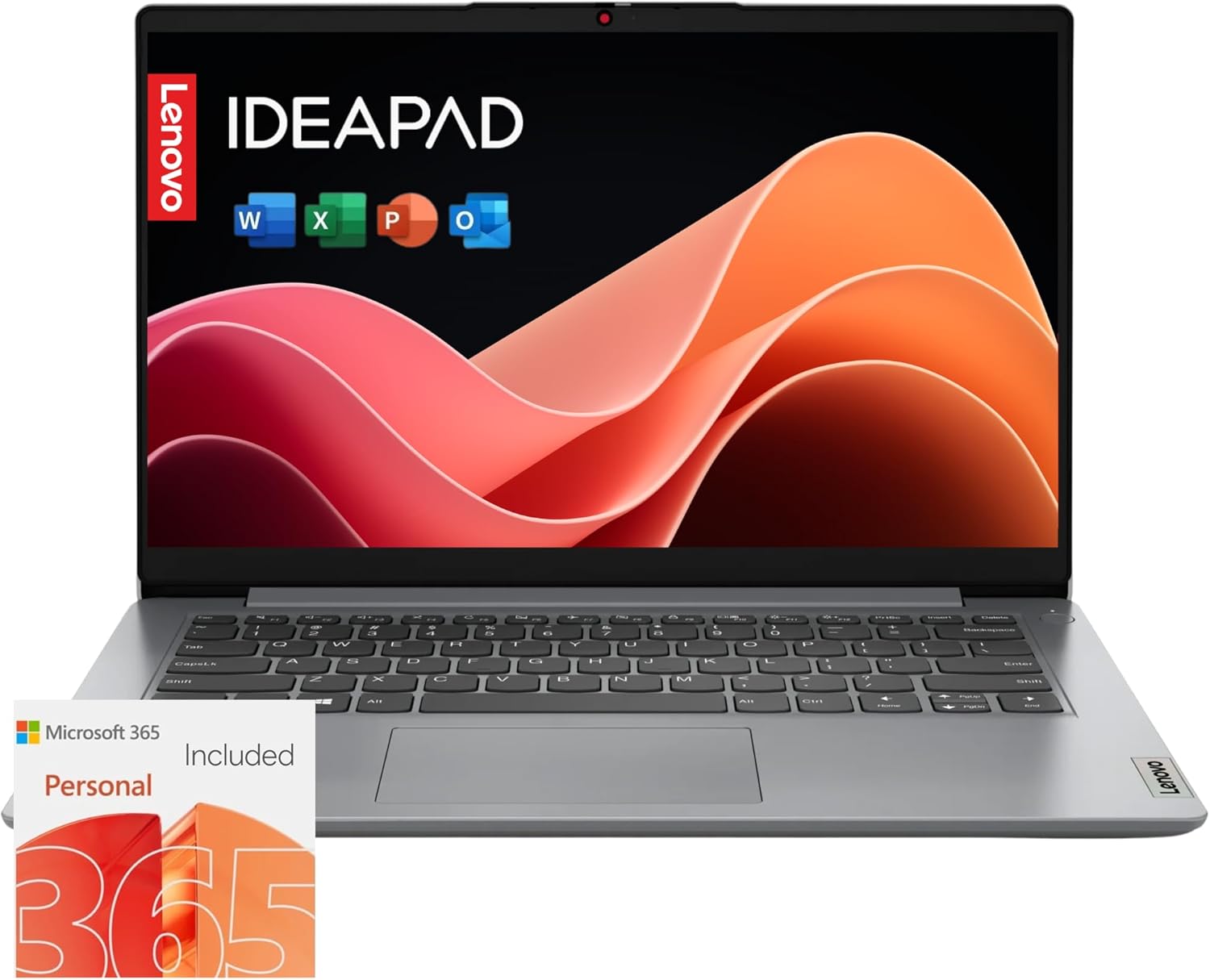
The Lenovo IdeaPad 1i is an appealing choice for everyday business work, especially for users who spend much of their time working with documents, browsing the web, communicating through email, and attending video conferences. Its lightweight design makes it particularly convenient for people who need to move between home, office, meetings, and other work locations.
One of its biggest advantages is portability. At around 3.5 pounds, it is easy to carry while still providing enough capability for common multitasking needs. The smart noise-cancelling features can also be useful during video calls, while the large storage capacity gives users plenty of room for documents, applications, and other files.
The combination of affordable pricing, long battery life, lightweight construction, and practical performance makes this Lenovo a strong option for budget-conscious professionals. The main compromise is that its slim construction may not feel as rugged as some heavier business-oriented laptops.
| Pros | Cons |
|---|---|
| Lightweight and portable | Slim construction may be less rugged |
| Long battery life | Best suited to everyday productivity |
| Large storage capacity | Not designed as a high-end workstation |
| Useful for video conferencing | Performance depends on the specific configuration |
2. Microsoft Surface Laptop

The Microsoft Surface Laptop is a strong choice for professionals who want a more refined Windows laptop experience with a touchscreen. Its compact design makes it easy to use in offices, at home, or while traveling, while the touchscreen provides another convenient way to interact with applications and documents.
Depending on configuration, the Surface Laptop is available with different display sizes and memory and storage options. Higher-memory configurations can provide additional flexibility for users who regularly keep many browser tabs, office applications, communication tools, and other programs open at the same time.
Its Copilot+ PC capabilities and AI-focused features make the Surface Laptop particularly interesting for productivity-focused users. If you want a modern Windows computer that combines portability, touchscreen interaction, and strong everyday performance, this is one of the most versatile choices in the lineup.
| Pros | Cons |
|---|---|
| Built-in touchscreen | Higher configurations can cost more |
| Compact and portable design | Configuration availability varies |
| Copilot+ PC and AI capabilities | Not intended as a gaming-focused laptop |
| Good productivity experience | Some users may prefer a larger display |
3. Microsoft Surface Pro 2-in-1 Laptop/Tablet

The Microsoft Surface Pro is an excellent option for professionals who want the flexibility of a tablet while still having a device capable of handling common laptop-style business tasks. Its compact form factor is especially useful for frequent travelers, remote workers, consultants, students, and professionals who want to reduce the amount of equipment they carry.
With 16GB of RAM and 512GB of storage in the configuration described here, the Surface Pro offers plenty of room for documents, applications, emails, presentations, and everyday professional workloads. The 2-in-1 design also allows you to switch between tablet-style use and a more traditional laptop setup.
One important consideration is the keyboard. Because the device is designed around a tablet-first form factor, users should consider adding a compatible Bluetooth or Surface keyboard if they expect to type extensively. With the right keyboard setup, the Surface Pro can become a highly flexible mobile workstation.
| Pros | Cons |
|---|---|
| Versatile 2-in-1 design | Keyboard may need to be purchased separately |
| 16GB RAM configuration | Tablet form factor may not suit everyone |
| 512GB storage configuration | Accessories can increase overall cost |
| Excellent portability | Best experience depends on the accessories selected |
4. Acer Aspire 3 A315-24P-R7VH Slim Laptop

The Acer Aspire 3 is a practical business laptop for users who want a larger 15.6-inch display without moving into a premium price category. Its slim design gives it a more streamlined appearance than many traditional large-screen laptops, making it suitable for office work, home offices, browsing, email, and productivity applications.
The listed configuration includes 8GB of LPDDR5 memory and a 128GB NVMe SSD. That memory capacity is enough for many everyday business activities, including documents, web browsing, email, video meetings, and general office applications. Wi-Fi 6 also provides a modern wireless connection for compatible networks.
The biggest limitation is storage. The 128GB SSD can fill quickly if you keep large media libraries or numerous applications on the computer. However, for users focused primarily on business documents and cloud-based workflows, this Acer can be a cost-effective choice, particularly when combined with external storage when necessary.
| Pros | Cons |
|---|---|
| Large 15.6-inch Full HD display | 128GB storage is relatively limited |
| 8GB LPDDR5 memory | External storage may be useful |
| Slim design | Not aimed at demanding professional workloads |
| Wi-Fi 6 support | Display configuration varies by model |
5. Apple 2025 13-inch MacBook Air with M4 Chip

The Apple MacBook Air with the M4 chip is the premium choice in this group and is designed for professionals who want a compact laptop with strong performance and a polished user experience. The 13.6-inch Liquid Retina display provides a comfortable workspace while keeping the laptop easy to carry.
The configuration listed here includes 16GB of unified memory and a 256GB SSD. The 16GB memory capacity is particularly useful for business users who regularly multitask between browsers, documents, communication applications, spreadsheets, and creative or productivity software.
Apple’s M4 platform also makes this MacBook Air an appealing choice for professionals who want modern processing performance in a thin and portable design. Touch ID and the 12MP Center Stage camera add useful features for everyday professional use, while the fanless MacBook Air design keeps the overall experience simple and portable.
| Pros | Cons |
|---|---|
| Powerful M4 chip | 256GB storage may be limiting for some users |
| 16GB unified memory | Premium pricing compared with budget options |
| 13.6-inch Liquid Retina display | macOS may require adjustment for Windows users |
| Lightweight and highly portable | Limited upgradeability after purchase |
What to Consider When Buying a Business Laptop
Before choosing a business laptop, it is important to look beyond the brand name and compare the specifications that directly affect your workflow. RAM, storage, battery life, portability, display size, operating system, and connectivity can all influence how comfortable and productive your workday will be.
RAM
RAM is the laptop’s short-term working memory and plays an important role in multitasking. For everyday activities such as web browsing, email, documents, and office applications, 8GB can be sufficient. If you regularly use many applications at once or work with heavier software, moving to 16GB can provide additional headroom.
Storage
Storage determines how much space you have for applications, documents, photos, downloads, and other files. A 256GB SSD is a practical starting point for many business users, while 512GB can provide additional flexibility. External storage can also be used when you need more space without replacing the laptop.
Battery Life
Battery life matters especially if you work away from a desk, travel frequently, or move between meetings. Manufacturer estimates can provide a useful starting point, but real-world battery performance can vary depending on brightness, applications, wireless connectivity, and workload.
Size and Portability
A larger display can make spreadsheets and documents easier to view, while a smaller laptop is usually more convenient for commuting and frequent travel. Consider how and where you work before choosing between a compact 13-inch-class device, a versatile 2-in-1, or a larger 15.6-inch laptop.
Which Business Laptop Should You Choose?
The Lenovo IdeaPad 1i is a compelling budget-friendly choice for everyday productivity and portability. The Microsoft Surface Laptop is a strong option for users who want a modern touchscreen Windows experience. The Surface Pro stands out for flexible 2-in-1 use, while the Acer Aspire 3 offers a large display at an accessible price. For professionals seeking premium performance and portability, the Apple MacBook Air with M4 is an excellent choice.
Ultimately, the best business laptop depends on your workload, budget, preferred operating system, required storage, and how often you travel. Compare the configurations carefully before purchasing so you can choose the model that best fits your daily work.
Related Posts

The 5 Best Red Light Therapy Devices for Glowing, Healthier-Looking Skin
Red light therapy devices have become a popular addition to…

Top 5 Best Pellet Grills for Every Budget and Backyard Barbecue Bash
Top 5 Best Pellet Grills for Every Budget and Backyard…

The 5 Best Countertop Microwaves of 2026: Top Picks for Every Kitchen
Finding the best countertop microwave can make everyday cooking, reheating…