
Finding the right projector depends on where and how you plan to use it. Some models are designed around cinematic picture quality, while others emphasize brightness, portability, smart features, or business presentations. Below are five projectors covering a range of home entertainment and professional needs, with their strengths and limitations explained in detail.
Top 5 Projectors at a Glance
How to Choose the Right Projector
Before buying a projector, consider the room, ambient light, viewing distance, desired image quality, and the devices you plan to connect. A home theater projector can prioritize contrast and color accuracy, while an office projector generally benefits from high brightness and flexible connectivity. Portability can also matter if you regularly move the projector between rooms or locations.
Resolution is another important consideration. Higher-resolution projectors can provide cleaner text and more detailed movie images, while brightness affects how easily an image remains visible when there is ambient light in the room. Smart features, built-in streaming platforms, automatic setup functions, and integrated speakers can also make a projector easier to use for everyday entertainment.
Detailed Projector Reviews
1. Epson Home Cinema 2350 4K PRO-UHD

The Epson Home Cinema 2350 4K PRO-UHD is a versatile option for viewers who want strong image quality along with convenient smart features. Its vivid colors, sharp picture and overall presentation make it well suited to movies, streaming and general home entertainment. Android TV and built-in Chromecast add convenience for users who want a straightforward way to access content.
The projector also has useful versatility beyond entertainment. Its brightness and clarity can make presentations easier to read, while the overall image performance can deliver an engaging big-screen experience at home. It is particularly appealing to buyers who want a balance between cinematic performance and everyday functionality without moving into the most expensive projector category.
There are some compromises. Dark scenes can lack the deep black levels available from higher-end cinema-oriented projectors, and response time may not satisfy users looking specifically for the fastest gaming performance. It also misses some premium conveniences found on more expensive models. For primarily business-focused use, a brighter business-oriented projector may be a better fit.
| Pros | Cons |
|---|---|
|
|
2. ViewSonic PA503W

The ViewSonic PA503W is a practical WXGA projector designed to handle a variety of everyday scenarios. Its high brightness makes it particularly useful for classrooms, meeting rooms and offices where ambient light can make weaker projectors difficult to see. The 16:10 aspect ratio also provides a useful presentation-friendly format.
Its relatively compact and lightweight design adds flexibility for users who need to move the projector between rooms or buildings. The PA503W can also work for gaming thanks to its comparatively low input lag, while movies remain a reasonable secondary use. For buyers who want a straightforward projector for work, education and occasional entertainment, its broad usability is a major attraction.
The trade-offs become more noticeable when the focus shifts toward dedicated home theater use. Color accuracy is not on the same level as more cinema-focused models, and the fan can be noticeable during quieter movie scenes. Its strong brightness is an advantage in offices but can reduce the cinematic look of dark movie scenes in a dedicated theater.
| Pros | Cons |
|---|---|
|
|
3. Hisense C1 Laser
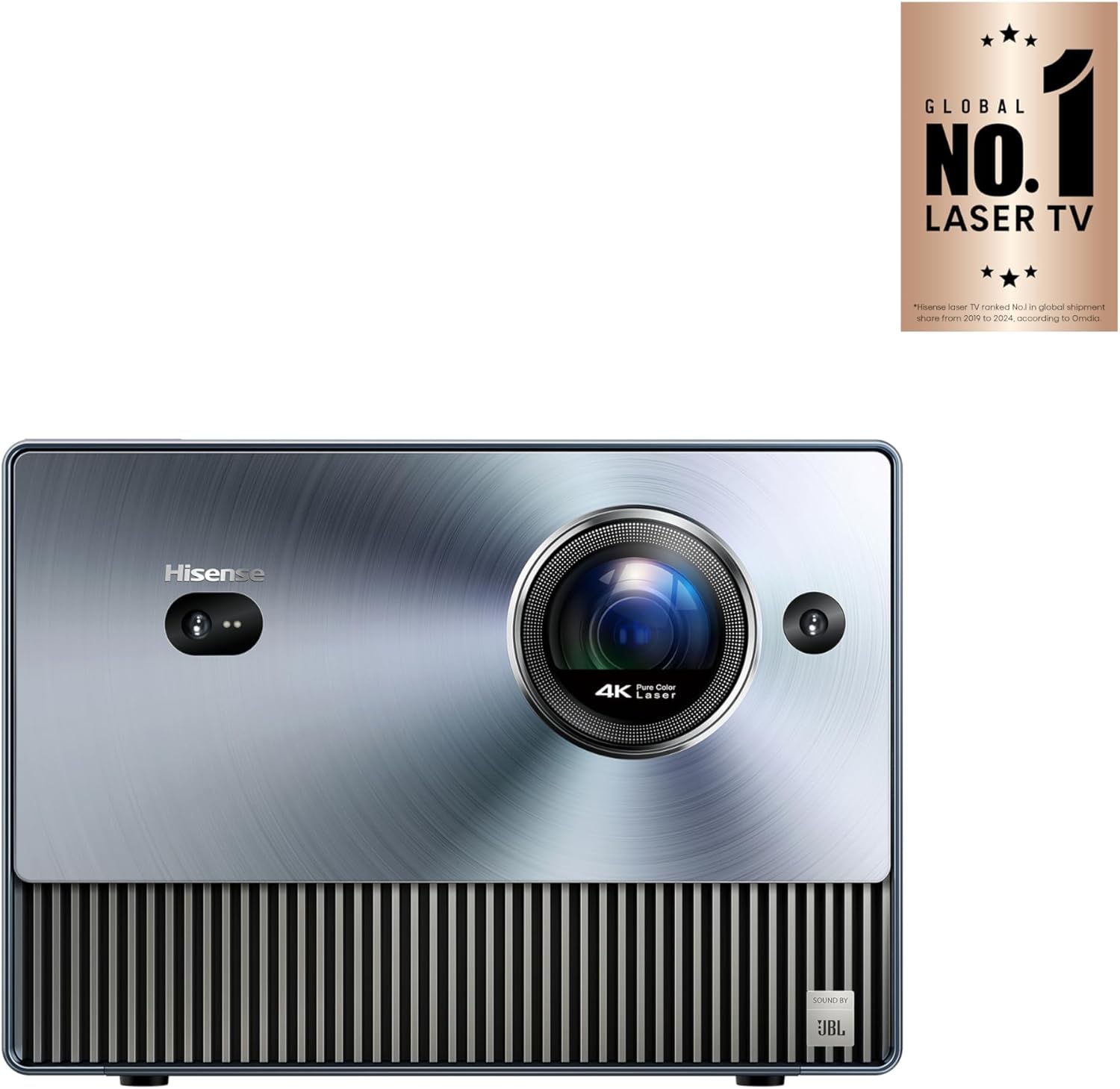
The Hisense C1 Laser combines a distinctive design with impressive home entertainment performance. Its picture offers sharp clarity, dynamic contrast and a detailed presentation, while the integrated JBL speaker system adds another layer of convenience. The design also gives it a more refined appearance than many conventional projector chassis.
Setup is another area where the C1 can be convenient. Automatic keystoning and obstacle avoidance can simplify placement, and the voice-responsive remote adds an easy way to control the projector. These features make it appealing to users who want a modern big-screen setup without spending excessive time adjusting the image manually.
The C1 is not without limitations. Its color presentation may not appeal equally to every viewer, and spreadsheet fonts can appear somewhat thin when the projector is used for business content. Its substantial, blocky design also makes it less convenient for frequent travel. For primarily cinematic use, however, the combination of picture quality, sound and easy setup makes it an interesting option.
| Pros | Cons |
|---|---|
|
|
4. Epson Home Cinema 5050UB 4K PRO-UHD

The Epson Home Cinema 5050UB 4K PRO-UHD is built around picture quality. Its strong color accuracy, impressive contrast and edge-to-edge clarity make it particularly attractive to movie enthusiasts who want an immersive home theater experience. Fine details and subtle changes in color can be rendered with a level of precision that makes the projector well suited to dedicated viewing spaces.
Its advanced lens shift and zoom capabilities provide additional flexibility when positioning the projector. Rather than relying entirely on physical placement, users can fine-tune the projected image to better suit their screen and room. This makes the 5050UB especially useful for permanent home theater installations where image alignment and presentation quality matter.
The main considerations are its premium positioning and its lack of built-in smart features. Buyers looking for a simple all-in-one streaming projector may prefer a model with more integrated entertainment functionality. For dedicated home theater users who prioritize image quality and installation flexibility, however, its feature set is focused on the fundamentals of a high-quality projection system.
| Pros | Cons |
|---|---|
|
|
5. Epson Pro EX9240

The Epson Pro EX9240 is designed with business environments in mind, particularly spaces where strong brightness is important. Its high output helps presentations remain visible in well-lit conference rooms and offices, while accurate color reproduction can help documents, charts and other presentation materials appear clear and consistent.
Connectivity is another practical advantage for shared-use environments. A variety of input options can make it easier to accommodate different computers and presentation sources. The built-in lens cap is also a convenient touch, while the included carrying case and relatively portable design make the EX9240 useful for professionals who need to take a projector from one location to another.
Its focus is clearly different from a dedicated home theater projector. The EX9240 prioritizes brightness, presentation visibility, connectivity and portability rather than the specialized cinematic characteristics found in premium movie-focused models. If your primary need is presentations in offices, meeting rooms or other bright spaces, those design priorities can be more relevant than theater-oriented features.
| Pros | Cons |
|---|---|
|
|
Final Thoughts
These five projectors cover different priorities, from home entertainment and dedicated movie viewing to business presentations and portable use. The Epson Home Cinema 2350 combines home theater capabilities with convenient smart features, while the ViewSonic PA503W emphasizes bright, practical presentation performance. The Hisense C1 Laser adds strong picture quality, integrated audio and convenient setup features.
For dedicated home theater installations, the Epson Home Cinema 5050UB focuses heavily on image quality, contrast, color and installation flexibility. The Epson Pro EX9240 takes a different approach by emphasizing brightness, connectivity and portability for professional presentation environments.
When choosing among them, match the projector to your room and intended use rather than focusing on a single specification. Consider ambient light, desired screen size, viewing habits, connectivity, portability and whether your priority is movies, gaming, streaming or business presentations.
As an Amazon Associate, we may earn from qualifying purchases made through links on this page.
Related Posts

5 Best 4K TVs of 2026: Top Smart TVs for Picture Quality, Streaming & Home Theater
Finding the best 4K TV means balancing picture quality, smart…

5 Best Bluetooth and Wireless Keyboards for Comfortable Multi-Device Typing
Finding the right wireless keyboard can make everyday typing, office…

The 5 Best WiFi Routers of 2026: Top WiFi 7 and WiFi 6 Routers for Fast, Reliable Home Internet
Choosing the best WiFi router can make a significant difference…